
Why is Trading Paints asking to look for and connect to any device on my local network?
Starting with the release of Google Chrome version 142 in late October 2025, when you sign in to Trading Paints, Chrome, Edge, and other Chromium-based browsers will request your permission for the Trading Paints website to communicate with Trading Paints Downloader on your computer.
The Trading Paints website uses your browser’s Local Network Access to communicate with Trading Paints Downloader on your computer.
Starting with the release of Google Chrome version 142 in late October, when you sign in to Trading Paints, Chrome, Edge, and other Chromium-based browsers will request your permission for the Trading Paints website to communicate with Trading Paints Downloader on your computer.
Why does the Trading Paints website request this?
If you make changes to custom paints on the Trading Paints website while Downloader is running and you have Keep paints synced from website enabled, Downloader will attempt to update your paints immediately when they’re changed.
Additionally, this is a requirement for the Sim Preview feature in Paint Builder so that Paint Builder can send commands to Downloader in order to update your paint preview for iRacing.
To do this, your browser (Google Chrome, Microsoft Edge, and other Chromium-based browsers) may request access to look for and connect to any device on your local network. The Trading Paints website only looks for the instance of Trading Paints Downloader running on your local machine.
How do I set this permission?
Your browser may prompt you to allow access. Choosing Allow gives the Trading Paints website permission to communicate with Trading Paints Downloader.
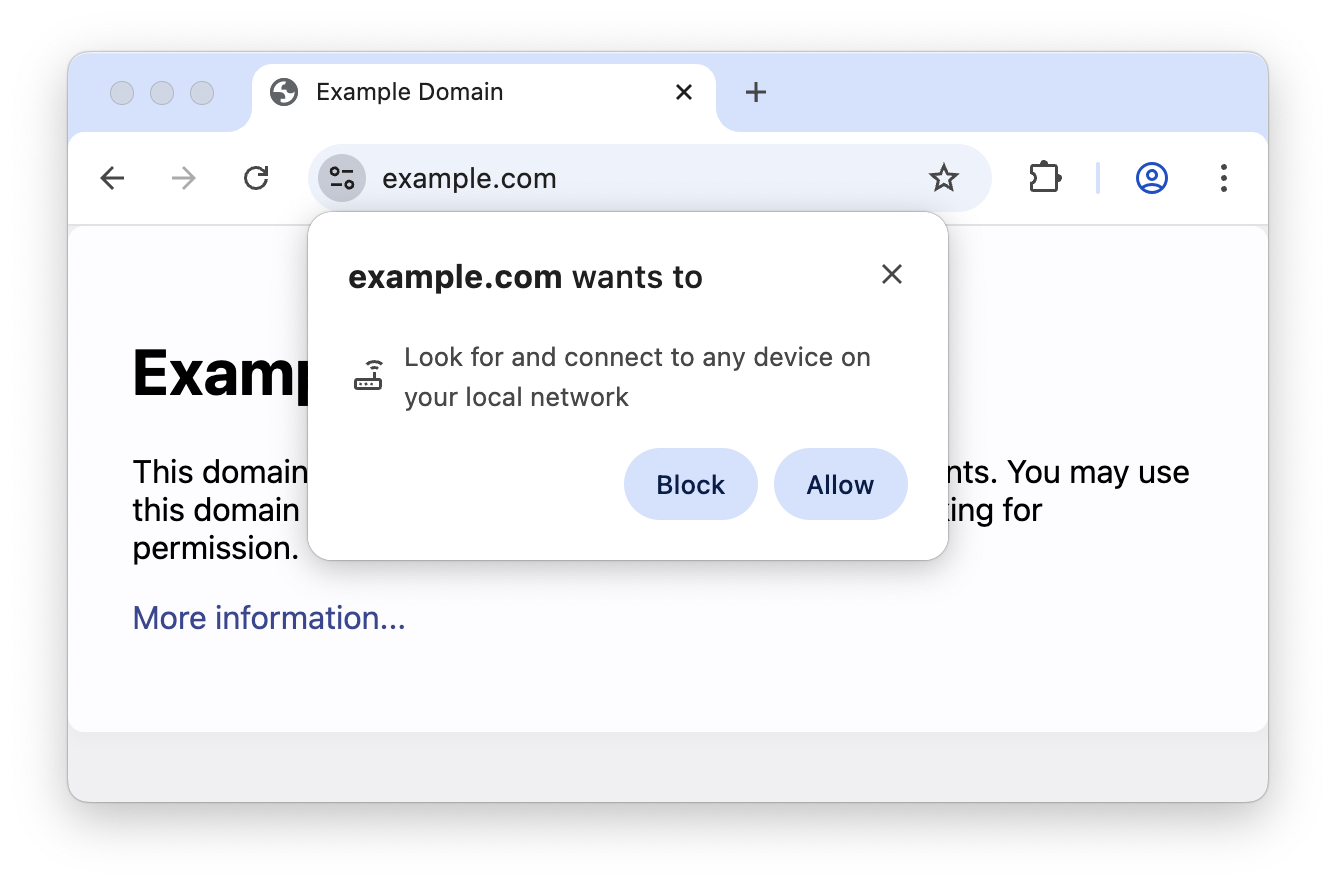
If you chose Block initially when prompted, you may need to reset your browser settings.
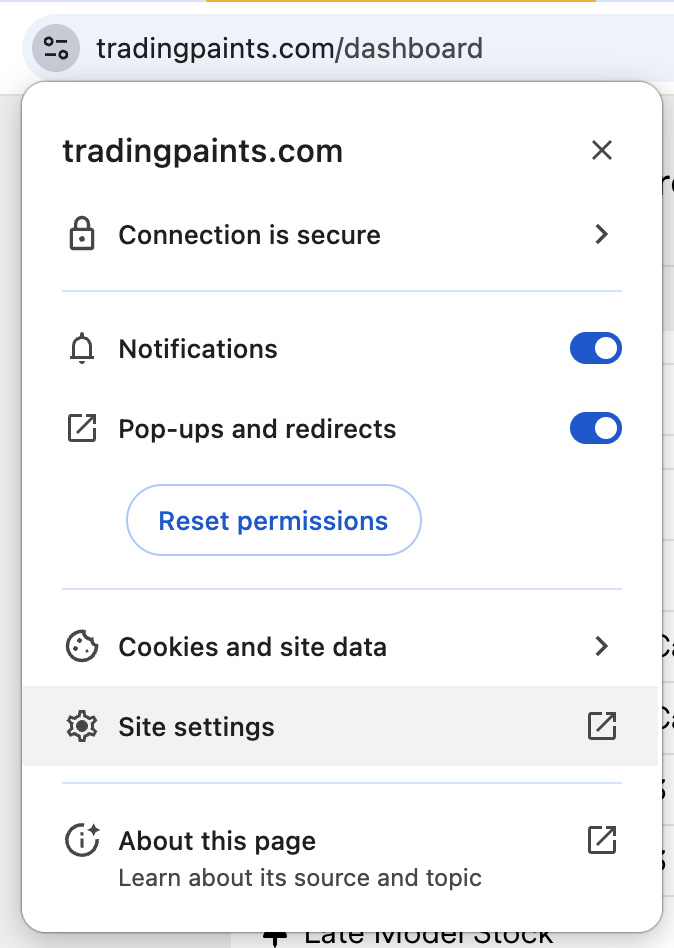
To reset your settings, in your browser’s address bar, click the Settings icon while on tradingpaints.com, and then choose Site settings.
Then, under Local Network Access (this may be at the bottom of the list), choose Allow.
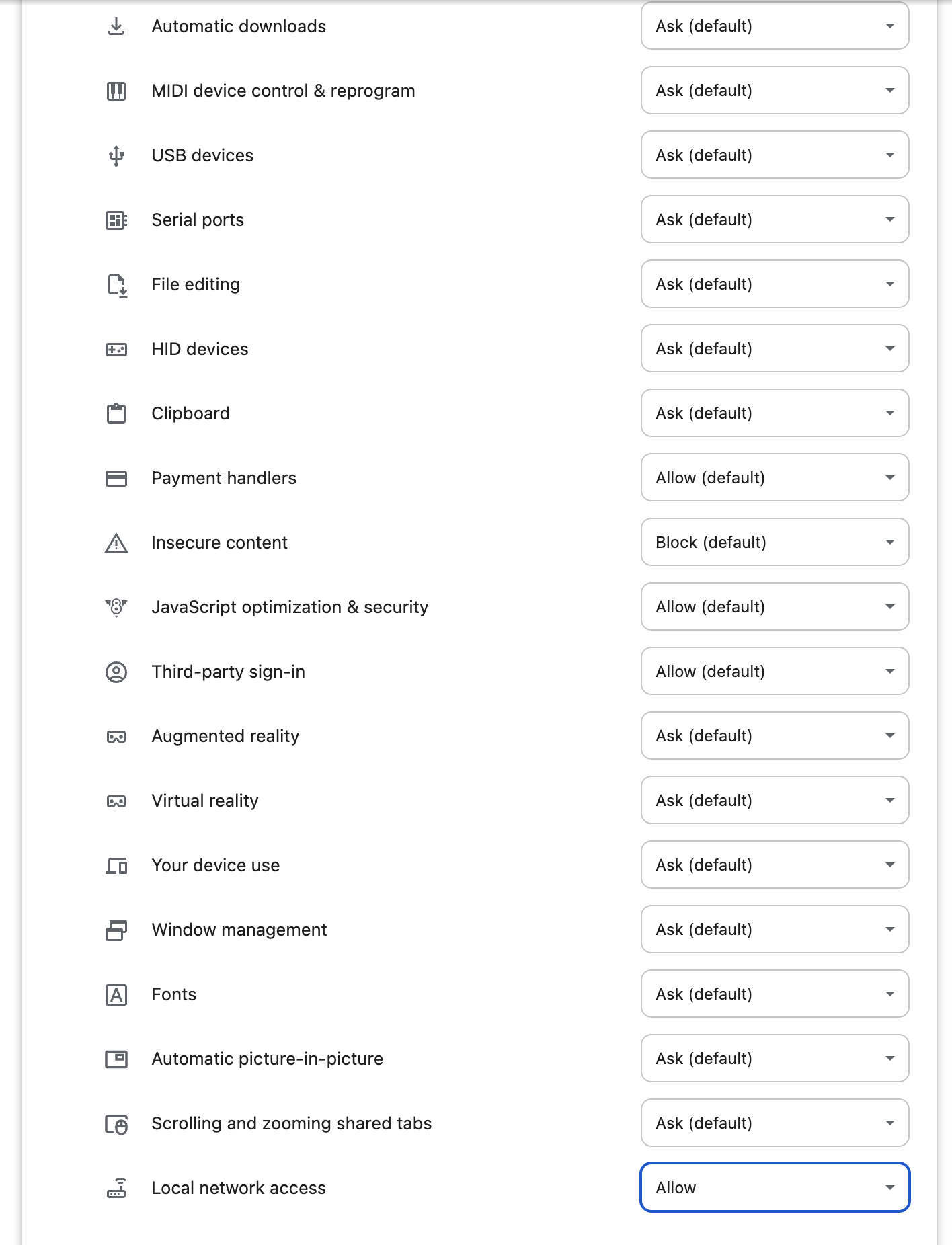
You may need to repeat these steps when inside Paint Builder specifically (on the paintbuilder.tradingpaints.com domain).
Why am I being prompted now when I wasn’t before?
Google Chrome 142 and Microsoft Edge 138 added a prompt to restrict the ability for websites to make requests to your local network — which includes Trading Paints Downloader running on a localhost address on your computer.
Functionality on Trading Paints has not changed; this is a change in how these web browsers now work.
Is enabling this permission required in order to use Trading Paints?
No. Trading Paints will still function normally to show custom paints in iRacing, even if you do not allow local network access permission.
The following features require this permission:
- Enabling Keep paints synced from website in Trading Paints Downloader will update files on your computer when you upload or assign a new paint or favorite a Collection.
- The Sim Preview feature of Paint Builder sends a command from the Paint Builder web app to Trading Paints Downloader so you can preview the paint you’re working on when you’re in iRacing.
If you choose to block local network access, these features will not work.