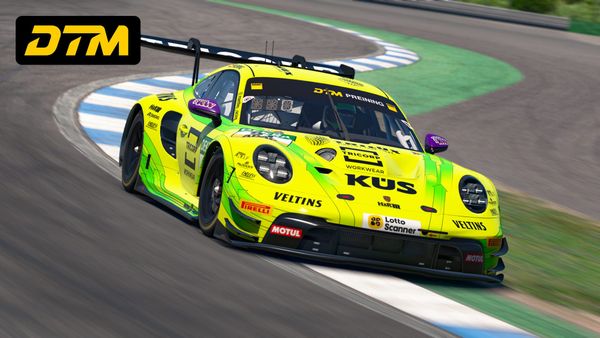
Paint Builder update: curved lines, gradients, and custom fonts!
Today’s Paint Builder update adds new tools and features for designing your custom iRacing paints.

We’ve released an update to Paint Builder to add even more new features.
Curved Line Tool
You can now draw Pen Tool-style curved lines with anchor points on your projects. After drawing your shape, you can set a color fill, adjust stroke, and move anchor points as you please. This tool opens up some exciting new possibilities for your painting projects!
Gradients
Today’s Paint Builder update features a popular addition: gradients! You can assign a gradient fill or outline to your shapes, graphics, text, and logos where you can normally define a solid-color fill.
On the layer where you wish to use a gradient, change Fill Mode from Solid to Gradient, and then adjust the gradient — colors, stops, and angle — as you wish.
Custom Fonts
Another popular feature request we’ve received has been the ability to upload fonts from your computer for use on your Paint Builder projects. With today’s update, it can now be done. From the Add Text menu, select the Custom Fonts icon to manage fonts that you can use on your Paint Builder projects.
Editable Anchor Points
On the Polygon, Line, Curved Line, and Arrow tools, you can now adjust anchor points of the shape you’ve created after it’s been placed on the project. (Previously, once a shape was added, its anchor points couldn’t be changed, only the size and positioning.)
You can also hide the outside bounds of the transformer by checking Hide box transformer for line shapes in the Painting Guides menu.
Here’s the complete list of changes.
New
- Added the new Curved Line shape. You can now create curved shapes or lines using anchor points you define and can adjust after your shape is created.
- Added Gradient Fill options for layers where a fill color can be set. You can now set the fill type — Solid or Gradient — on a selected layer through the Properties panel. If you choose Gradient, you can define colors of the gradient and customize their stops.
- Added the ability to upload custom fonts in the Add Text menu. In the Add Text menu, click the Custom Fonts icon next to the font name list to manage your custom fonts. If you have a font file on your computer that you’re allowed to use, you can now upload it to use on text layers for your Paint Builder projects.
- Anchor points are now editable when you create shapes using the Polygon, Line, and Arrow tools. Now, if you create a shape using these tools, you can fine-tune the points you placed after it’s created.
Improved
- Default color preferences are now saved per account rather than per project. So, if you set a default color in the Default Shape Settings menu, it will follow you around to each of your projects.
- You can now right-click a Car Parts layer and choose Clone as Editable to easily make a copy of it within your Layers list.
- There is a new Transformer category at the bottom of the Painting Guides panel with two options: Hide transformer while moving while automatically hide the positioning handles of your layer when it’s moving (same effect as holding the
Hkey), and Hide box transformer for line shapes will, if checked, not display the outside bounding box of a shape where anchor points are now editable (Line, Arrow, Polygon, Curved Line). - Improved presentation of What’s New content.
Fixed
- Fixed an issue where Flip/Flop could have resulted in different effects depending on if the button was clicked on the Properties panel or right-clicked on the layer.
- Fixed an issue where, if a Rectangle layer was somehow created with 0 width and 0 height, it was causing the application to crash.
- Fixed an issue where a Mirror Clone copy of an element would not be mirrored when it was added to a layer group.
- Fixed an issue where mirror cloning two or more selected layers would change the size of the cloned layers.
- Fixed the appearance of an error message if you were to set an invalid border radius value for a Logo layer with a background color added.
Today’s updates are now available to all Trading Paints Pro members.
We hope you enjoy these changes to make Paint Builder an even better way to design your custom iRacing paints!